

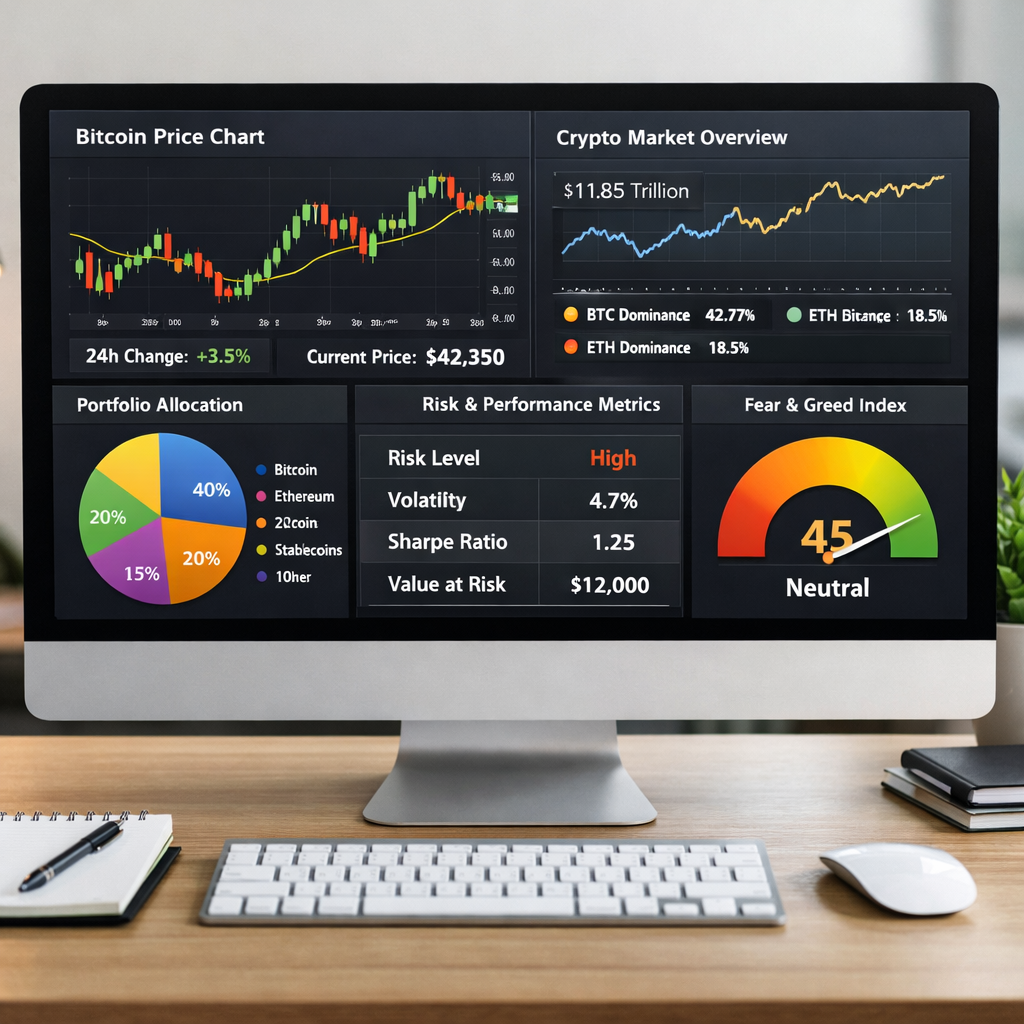
Stop letting market swings destroy your portfolio—build a real-time crypto risk dashboard in under 30 minutes.
Why Every Crypto Trader Needs a Risk Management Dashboard
With Bitcoin swinging $140 billion in market cap in just two hours and sudden supply walls emerging—as seen in recent price action—crypto remains a hyper-volatile asset class. If you’re trading without a structured approach to risk, you’re not just gambling—you’re setting yourself up for capital destruction.
This step-by-step guide will show you how to set up a real-time crypto risk management dashboard in Google Sheets, which will help you:
- Visualize your portfolio allocation
- Track stop-loss and risk/reward ratios
- Calculate exposure and liquidation risk
- Integrate live prices for up-to-date decisions
Step 1: Set Up Your Google Sheet
First, open Google Sheets and create a new spreadsheet. Title it: Crypto Risk Dashboard.
Structure Your Tabs
- Portfolio: Track your holdings
- Live Prices: Pull real-time market data
- Risk Metrics: Calculate position sizing, stop-loss levels, and risk/reward
Step 2: Import Real-Time Crypto Prices
We’ll use the CoinGecko API (free and reliable) to get live prices into your sheet.
How to Add the CoinGecko API
- Go to Extensions > Apps Script
- Paste the following code:
function getPrice(symbol) {
  var url = 'https://api.coingecko.com/api/v3/simple/price?ids=' + symbol + '&vs_currencies=usd';
  var response = UrlFetchApp.fetch(url);
  var json = JSON.parse(response.getContentText());
  return json[symbol].usd;
}- Click Save, then return to your sheet
In the Live Prices tab, enter:
=getPrice("bitcoin")You can swap bitcoin for ethereum, xrp, etc. (See full list of IDs on CoinGecko API docs).
Step 3: Build Your Portfolio Tracker
In the Portfolio tab, create headers:
- Coin
- Amount Held
- Entry Price
- Current Price (linked from Live Prices)
- Current Value
- PnL
Use formulas like:
=B2*D2 // for current value=(D2-C2)*B2 // for profit and lossTip: Use Data > Named Ranges to keep your formulas clean and reusable!
Step 4: Add Risk Metrics
In the Risk Metrics tab, create the following columns:
- Coin
- Position Size ($)
- Account Equity (manually input or linked from Portfolio)
- Risk % per Trade (e.g., 1%)
- Max $ at Risk
- Stop-Loss Price
- Target Price
- Risk/Reward Ratio
Use formulas like:
=C2*D2 // Max $ at Risk=(G2-E2)/(E2-F2) // Risk/Reward*E2 = Entry, F2 = Stop, G2 = Target*
This helps you decide whether the trade meets your system’s criteria before entering.
Step 5: Visualize Everything
Add pie charts and bar charts to visualize:
- Portfolio Allocation by coin
- Exposure to each asset class
- Daily PnL trends
Go to Insert > Chart, and choose your preferred chart type. Use filters to display only open positions or high-risk coins.
Step 6: Automate Daily Snapshots
Use Google Apps Scripts to create a daily snapshot that logs your portfolio value and PnL every 24 hours.
function logDailySnapshot() {
  var sheet = SpreadsheetApp.getActiveSpreadsheet().getSheetByName("Portfolio");
  var logSheet = SpreadsheetApp.getActiveSpreadsheet().getSheetByName("Logs");
  var date = new Date();
  var totalValue = sheet.getRange("F2:F10").getValues().flat().reduce((a, b) => a + b);
  logSheet.appendRow([date, totalValue]);
}
Then go to Triggers in the script editor and schedule it to run daily.
Step 7: Set Conditional Alerts
Use conditional formatting to highlight when:
- Risk/Reward falls below 1.5
- Stop-loss is hit or price drops 10%
- Total portfolio loss exceeds 5%
This visual alert system gives you quick decision-making signals without extra tools.
Bonus: Connect to TradingView or Telegram
Want to add real-time alerts to your phone? Use Zapier to connect Google Sheets with Telegram or Discord. Or embed TradingView charts in your dashboard.
🚀 Ready to Take Control?
If you’ve followed the steps above, you now have a functional crypto risk dashboard that gives you:
- Clarity on your portfolio
- Control over your risk
- Confidence to trade volatile markets
Want the full dashboard template pre-built?
👉 Click here to download the free Crypto Risk Dashboard template
CTA: Share Your Setup and Win
🛠️ Built your dashboard? Share a screenshot on X (formerly Twitter) with the hashtag #CryptoRiskDashboard and tag us for a chance to win a 1-month TradingView Pro subscription!
Final Thoughts
Whether Bitcoin is flashing capitulation signals or facing hidden resistance levels, you need a data-driven edge. Stop reacting to price and start managing your positions like a pro.
🔗 Explore more market insights from CryptoSlate:
Always trade informed, not emotional.




